





one knob, pure phat
phatPress
€24,99
€34,99save 28%
VST3AU
phatPress is a three-mode analog saturation plugin that makes everything sound bigger, warmer, and more alive. Inspired by classic analog circuits, built for fast results.
🔊 Features
- Three saturation styles: Glue (Tube), Warm (Tape), Smack (Transistor)
- Asymmetric waveshaping modeled after real analog circuits
- Dynamic response — gentle warmth to full-on crunch
- True stereo processing — no phase weirdness
- Automatic gain compensation (Link)
- Controls: Drive, Output, Style, Tone, Mix, Link
- Zero latency, low CPU usage
- Resizable interface
Compatibility: VST3 / AU for Windows 10+ & macOS 11+ Intel & Apple Silicon supported. Compatible with any DAW (Ableton, Logic, FL Studio, Cubase, Studio One, Reaper, Bitwig) that supports VST3 / AU plugins.
100% royalty-free. Use these sounds in your own releases — put them in a track, sign it, sell it. No clearance, no extra fees, nothing to report.
pick your box
2 plugins
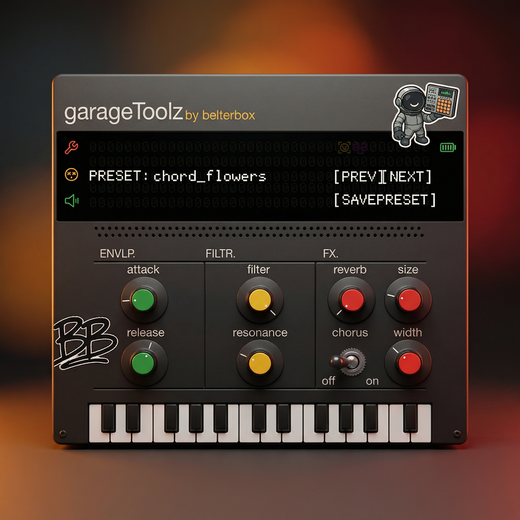
phatPress + garageToolz
€48,74 €54,98
add both →
best value
all 7
the belter bundle · incl. the free sample pack
€129 €209,94
save €80,94 →
3 or more build your box from €72,25 pick & save ↓
- instant download after checkout
- works in all major DAWs (VST3 · AU)
- license key waiting in your download portal. activate in your DAW
how to install & activate
1. after checkout you get an instant download link by email (check spam too). that link opens your download portal.
2. in the portal, grab the installer and your license key. the key is the .txt file sitting right next to it.
3. Mac and Windows both have their own installer — run it, then rescan your plugins in your DAW.
4. paste the license key when the plugin asks for it on first load.
need a hand? hit support, we usually reply within a few hours.
system requirements
Windows 10 or later or macOS 10.13 (High Sierra) or later. 4GB RAM and up · both Intel and Apple Silicon Macs supported · VST3 / AU (64-bit), works in any major DAW.
hear it
Hear the difference.
Same sound. One knob. Night and day. Hit play and hear what phatPress does to a flat signal — no tricks, no stacking, just pure analog-style saturation doing its thing.
Three circuits. Three characters.
Glue for rich, tube-driven warmth. Warm for smooth, tape-style polish. Smack for punchy, transistor-fueled grit. Each one modeled after real analog behavior — pick the one that fits your sound and push it as far as you want.
Dial in the color.
Use the Tone knob to shape the character of your saturation — from dark and heavy to bright and cutting. One knob, full control over how your drive sits in the mix.
from feed to DAW
out in the wild
real producers putting belterbox to work.
take the tour
every knob, explained
tap a number to find it on the plugin.
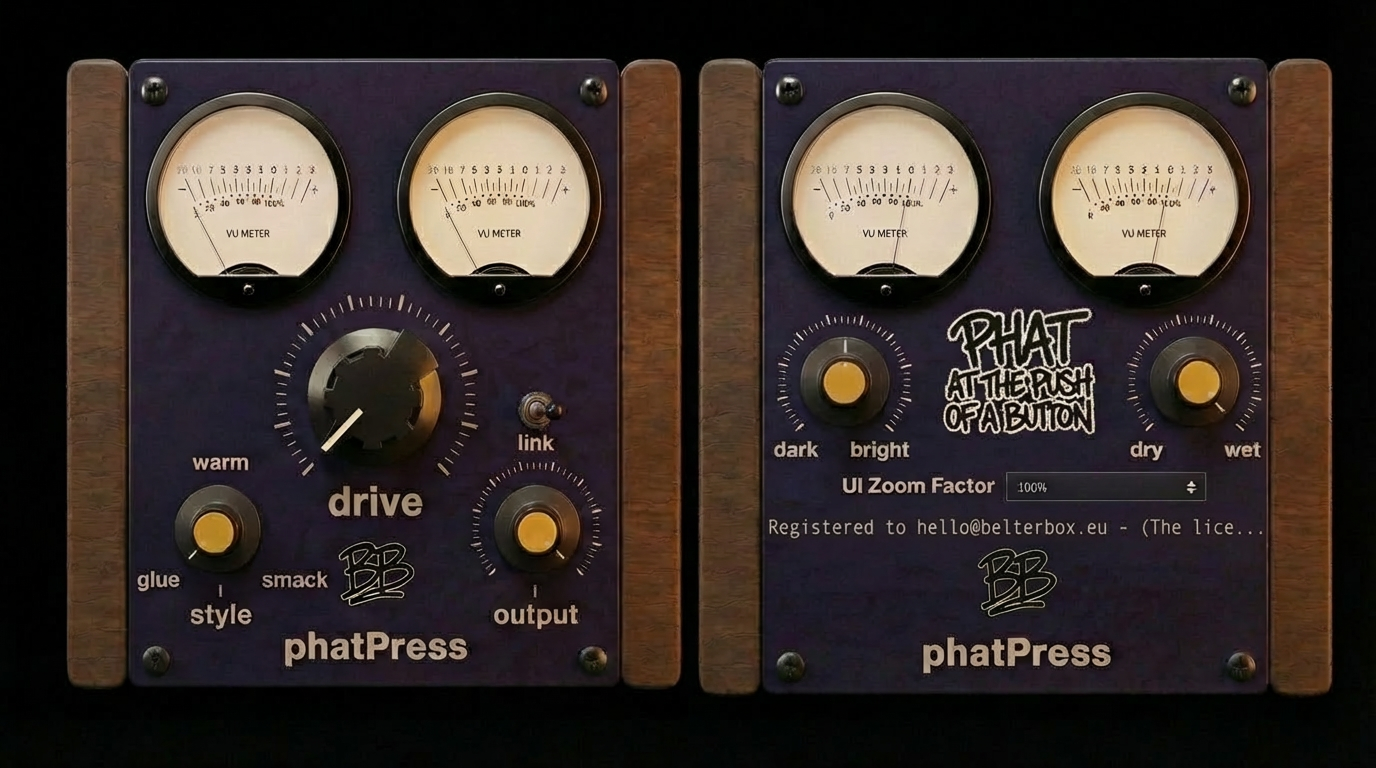
Tone: Shape the color of your saturation, from dark and warm to bright and cutting.
Output: Final level control. Tame it or let it rip.
Style: Switch between Tube, Tape, and Transistor saturation characters.
Resizable UI: Scale the interface to fit your screen and workflow.
Drive: Control how hard you push the circuit. Gentle warmth to full crunch.
Link: Auto gain compensation. Crank the drive without the volume jump.
Mix: Blend between dry and saturated signal for parallel processing.
- 1Tone: Shape the color of your saturation, from dark and warm to bright and cutting.
- 2Output: Final level control. Tame it or let it rip.
- 3Style: Switch between Tube, Tape, and Transistor saturation characters.
- 4Resizable UI: Scale the interface to fit your screen and workflow.
- 5Drive: Control how hard you push the circuit. Gentle warmth to full crunch.
- 6Link: Auto gain compensation. Crank the drive without the volume jump.
- 7Mix: Blend between dry and saturated signal for parallel processing.
the reviews
what producers say about belterbox
more belters
you may also like